

So, I’m currently working with a customer (you know who you are) implementing Storage Spaces and one of the things i do before we put everything in production is to check if there is new firmware for the disks (both SSDs and HDDs) and that is easy using PowerShell, you just run Get-Physicaldisk

But the serial number that I got was not correct according to the Seagate webpage, hmm, well it turns out that the “real” serial number on Seagate drives are just the first 8 characters. So with a simple filter the problem is solved.
$disks = Get-PhysicalDisk
$SSDs = $disks | Where-Object -Property MediaType -EQ -Value SSD

foreach($disk in $SSDs){
    $SerialNumber = $($disk.SerialNumber).substring(0,8)
    $Model = $disk.Model
    Write-Host "$SerialNumber,$Model"
}

With this I can now copy and paste that directly in the firmware search page, like this:
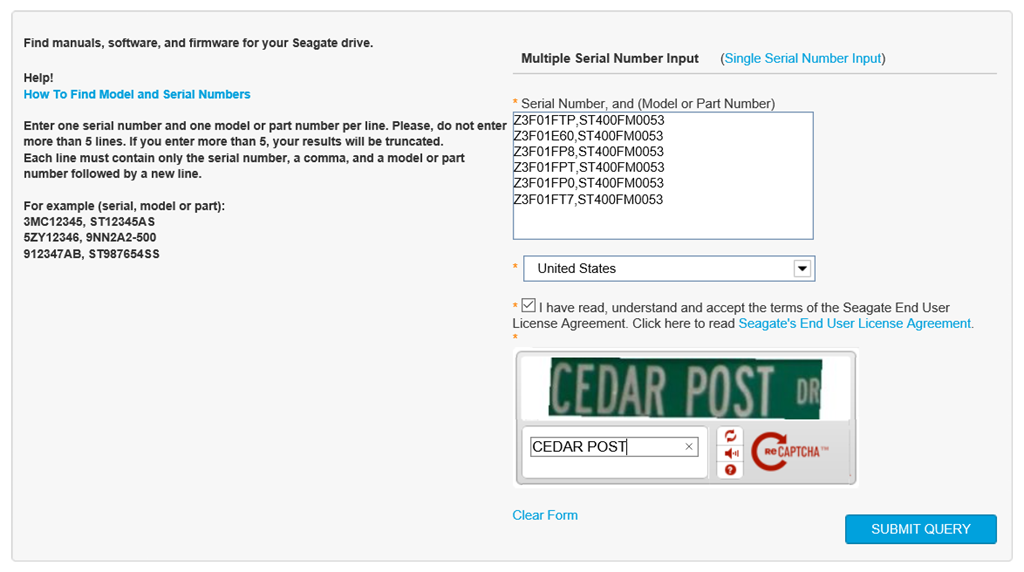
Here is the link for checking Seagate Firmware btw: https://apps1.seagate.com/downloads/request.html
/mike
Share this:

Categories: Firmware, PowerShell

 The Deployment Bunny