

Working with VM’s in Hyper-V means that you will eventually have VHD’s that are not connected, not not even in use. That happens when you remove the VM configuration from Hyper-V manager, but you told your self “I will remove the data files later”, later very rarely happens, at least not for my lab and my demo environment (in production we use SCVMM and this issues is much less). In many cases this consumes space and I can use that space for other purposes.
(The script is available at GitHub: https://github.com/DeploymentBunny/Files/tree/master/Tools/Get-VIADisconnectedVHDs)
Get-VM, Get-ChildItems and Compare-Object solves the problem
Here is a function that will return an array of files from a folder you specify that is not directly connected to a VM.
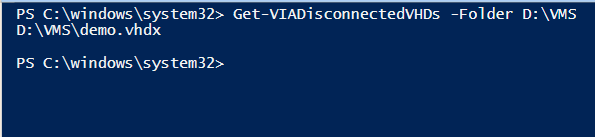
In this case one disk is returned and this disk is not in use.
Function Get-VIADisconnectedVHDs
{
    <#
    .Synopsis
        Script used find .VHD files that are not connected to VM's
    .DESCRIPTION
        Created: 2016-11-07
        Version: 1.0
        Author : Mikael Nystrom
        Twitter: @mikael_nystrom
        Blog   : http://deploymentbunny.com
        Disclaimer: This script is provided "AS IS" with no warranties.
    .EXAMPLE
        Get-Get-VIADisconnectedVHDs
    #>
    [CmdletBinding(SupportsShouldProcess=$true)]

    Param(
    [string]$Folder
    )

    if((Test-Path -Path $Folder) -ne $true){
        Write-Warning "I'm sorry, that folder does not exist"
        Break
    }

    #Get the disk used by a VM
    $VMs = (Get-VM | Where-Object -Property ParentSnapshotName -EQ -Value $null).VMId

    if(($VMs.count) -eq '0'){
        Write-Information "Sorry, could not find any VM's"
        Break
    }
    $VHDsActive = foreach($VMsID in $VMs){
        Get-VMHardDiskDrive -VM (Get-VM -Id $VMsID)
    }

    #Get the disk in the folder
    $VHDsAll = Get-ChildItem -Path $Folder -Filter *.vhd* -Recurse
    if(($VHDsAll.count) -eq '0'){
        Write-Information "Sorry, could not find any VHD's in $folder"
        Break
    }

    $obj = Compare-Object -ReferenceObject $VHDsActive.Path -DifferenceObject $VHDsAll.FullName

    #Compare and give back the list of .vhd's that are not connected
    Return ($obj | Where-Object -Property SideIndicator -EQ -Value =>).InputObject
}
/Mike
Share this:

Categories: Hyper-V, PowerShell

 The Deployment Bunny