

Note:
Ok, so you might not do an in-place upgrade, instead you re-install the entire server, but “if” you do, you need to run this command sometimes
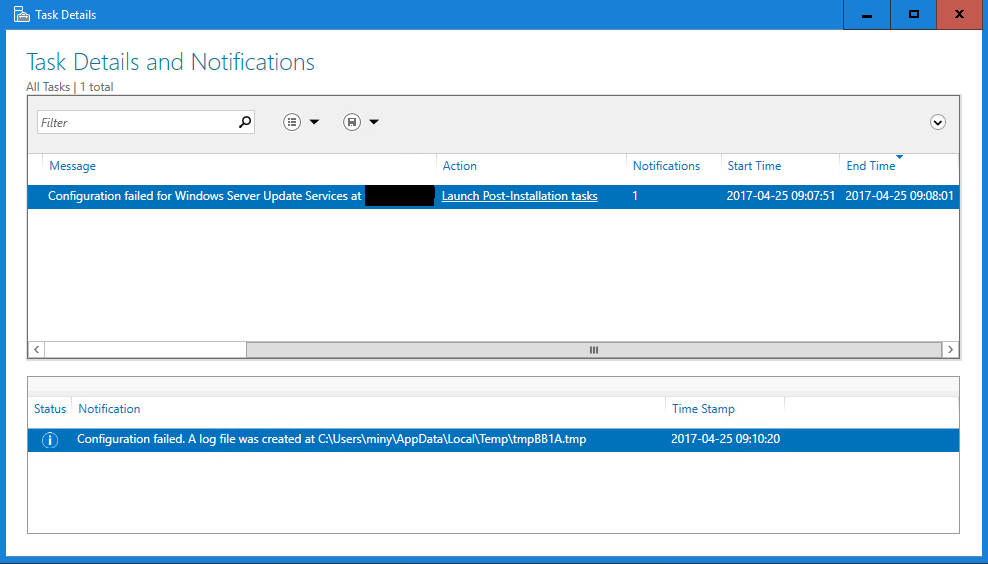
Issue:
Configuration failed for Windows Server Update Services…
Fix:
Open an elevated command prompt and execute the following
For Windows Internal Database (WID)
%programfiles%\update services\tools\wsusutil.exe postinstall CONTENT_DIR=C:\WSUS
SQL Server databases
%programfiles%\update services\tools\wsusutil.exe postinstall CONTENT_DIR=C:\WSUS SQL_INSTANCE_NAME=<database server name>
/m
Share this:

Categories: Windows Server 2016

 The Deployment Bunny
Reblogged this on Configuration Manager Stories and more :-) and commented:
A good tip from the “Deployment Bunny” AKA Mikael Nyström regarding the in-place upgrade of a Windows Server 2012 R2 hosting WSUS and it’s SQL instance to Windows Server 2016.