

Introduction
Cyberattacks happens every day, all year long, and it hits organizations randomly, big, huge, small, tiny, and it hurts. I work with recovery, meaning I help out to restore the them back to normal, well, as normal as it can be after being hit by a train.
Today I did a Webinar with a friend and colleague Hasain Alshakarti on the topic of “How to be prepared for the cyber attack”, but it also cover things like generic “be ready for a disaster”
The link
It is of course free, and here is the link: A Preppers Guide for a Possible Cyberattack
The topics
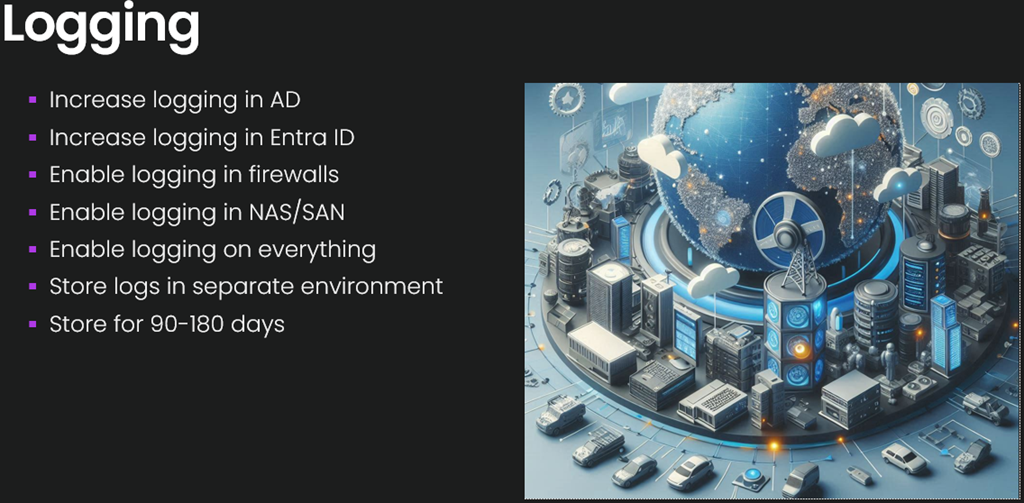
Logging, great, right?
Yes, a bit depressing, but when something goes sideways into a disaster, one of the things you should do is to figure out why, so it can be avoided, but for that to happen, logging needs to be in place, and in many cases the logging is far from sufficient. Make sure that everything logs and logs to something that cannot be deleted, you dont need to keep logs forever, for disasters, 90-180 days are ok, but what we see is default logging in Active Directory, Entra ID, Event logs, Firewall, and when logging is set to “in memory” it is all gone before we even have a chance to read it, it does not need to be a fancy security app, just boring csv files are fantastic.
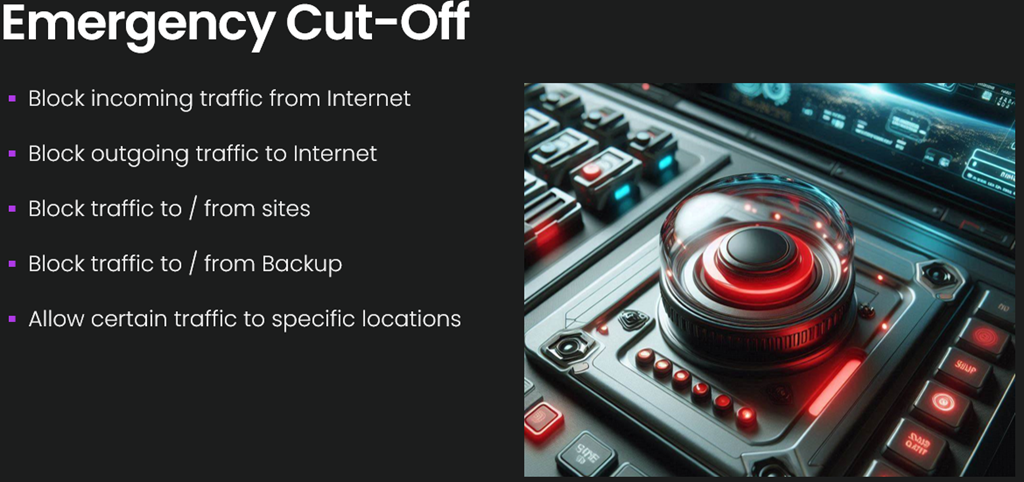
Emergency cut-off?
Yes, having predefined panic buttons that have been tested in peacetime is smart, because building them at 3am when you risk cutting your self out is not fun, so, be prepared
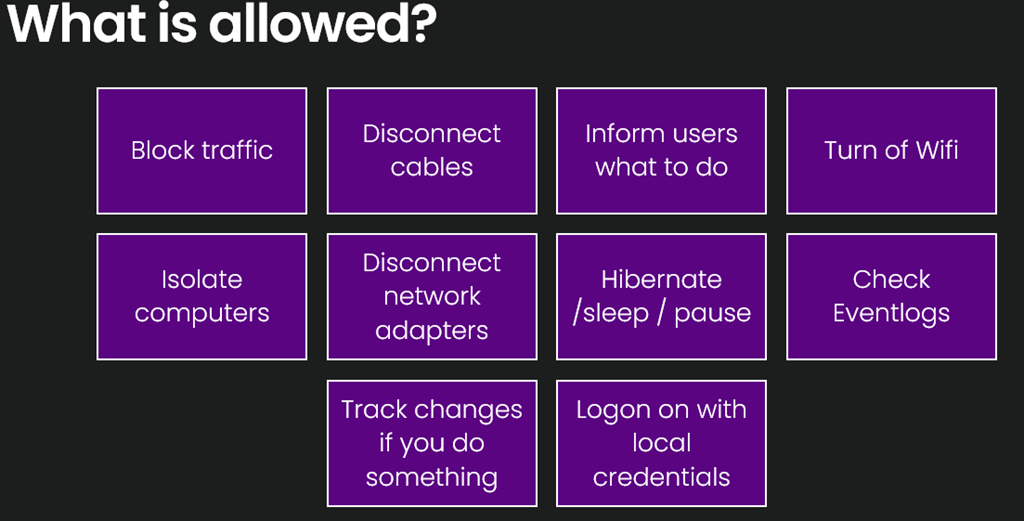
Who does know what to do, and what absolutely NOT to do?
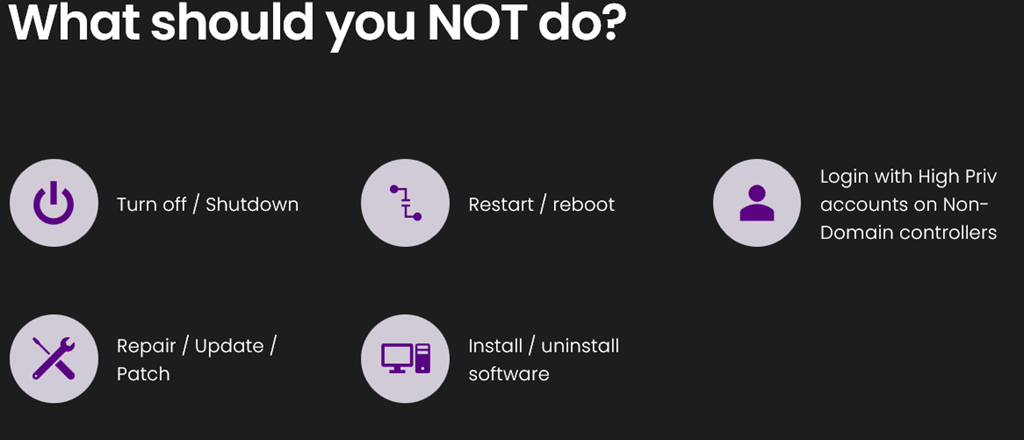
Since most technicians or engineers are use to fix “stuff”, the first assumptions is always “Bad app, broken hardware, bad patch” and restart should solve it, well, here is what you CAN do, until you know it is not a cyberattack.
and here is the list of what you should NOT do
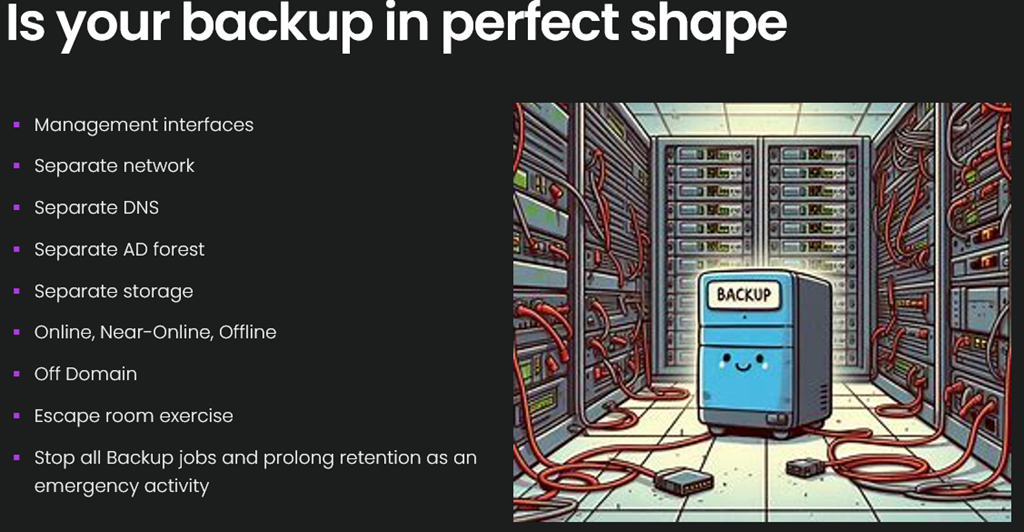
Is your backup in a perfect state?
The sad truth is that I have come across a backup solution where restore actually works a few times, the majority of solutions does not work the way the customer thought it was, misconfigured, bugs, wrong exclusions, destroys data, it is sad. So, the backup solution is your last line of defense, make sure it is in perfect shape.
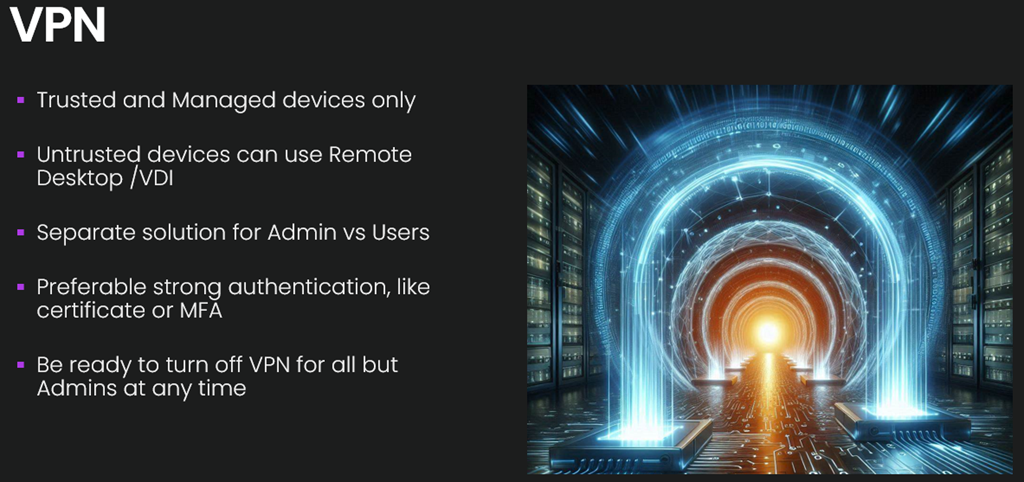
How should VPN be configured to be safe?
VPN is a very common first entry for the TA, they more or less just logs on with stolen creds, and since they are using valid creds they can now start investigation where they are, and a few weeks later they know more then the customer does, be careful with VPN…
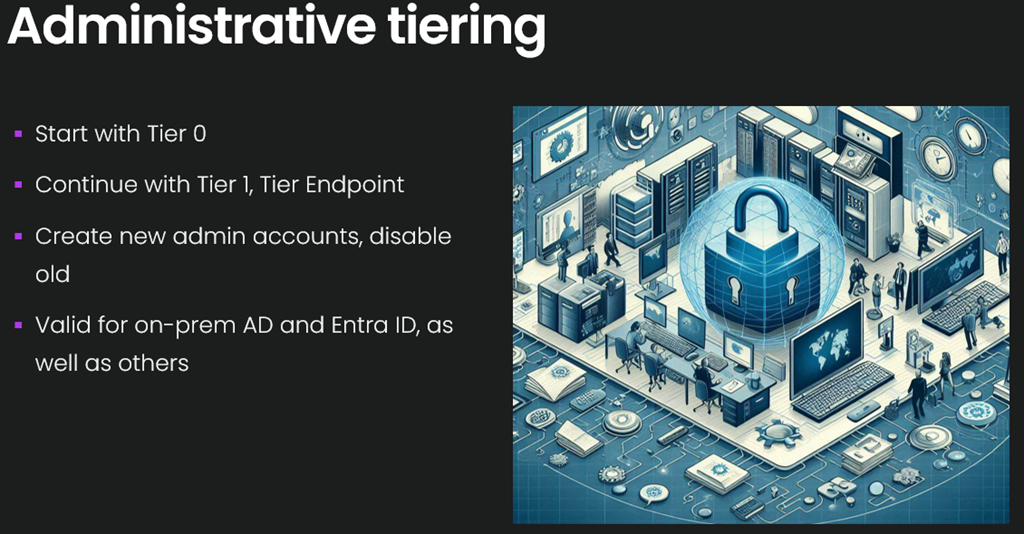
Is tiering for administrative accounts setup?
Tiering for AD is one of the most important steps, we have seen many TA leaving, since they can not get DA access, they give up, and that is great.
Until next time
/mike
Share this:

Categories: Security

 The Deployment Bunny