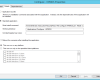
If you have a HP ProLiant Gen 8 or Gen 9 it is possible to use PowerShell to configure the BIOS. One of the items I really like to configure is the […]
If you have a HP ProLiant Gen 8 or Gen 9 it is possible to use PowerShell to configure the BIOS. One of the items I really like to configure is the […]

In a previous blogpost a shortly described what you can do with the “HP BIOS CmdLets for Windows PowerShell (x64)” and in this post I’ll give you a PowerShell wrapper for LTI/ZTI […]
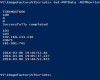
I have done same blogposts that includes the usage of the MDT Monitor: https://deploymentbunny.com/2013/03/06/powershell-is-king-i-need-to-monitor-os-deployment-in-mdt-2012-not-using-deployment-workbench/ https://deploymentbunny.com/2013/12/09/nice-to-know-dumping-mdt-monitor-data-to-a-webpage-using-powershell/ https://deploymentbunny.com/2013/12/13/nice-to-know-dumping-mdt-monitor-data-to-a-webpage-using-powershell-update/ and they all use the same basic function. During class last week I’ve got the question […]

For customers running HP ProLiant servers in the datacenter (many of my customers do) it is now possible to modify the BIOS settings using PowerShell much easier then it used to be. […]
In some cases an email as notification is all you need, maybe it is OSD related, monitor related, a script that needs to notify about a change, a friend of mine is […]
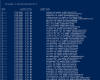
During the OSD Deployment class this week we talked about drivers, one question was “is it possible to cheat?” and the answer is “Yes” If you have a Windows 8.1/Windows Server 2012 […]
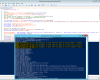
We use WSUS in our own datacenter as well as customer sites, for many client based scenarios this is done using WSUS and ConfigMgr, but in the fabric it is either WSUS […]

Update 2015-12-17 : This is now a confirmed bug, and as soon as I know more I will update this post. It seems to be a bug, hopefully it will be fixed […]


