

In 2017 I published a small PowerShell script to deal with something that i needed, the ability to run DataDeduplication job as a commandline, so that turned into this post
PowerShell is King – A Data Deduplication script that runs Optimization, Garbage Collection and Scrubbing in a single sweep (including progress)
https://deploymentbunny.com/2017/04/28/powershell-is-king-a-data-deduplication-script-that-run-the-optimizationgarbage-collection-and-scrubbing-in-a-single-sweep-including-progress/
Higher Expectations.
So, i needed a new look and feel, I needed a UI, I needed logging, etc, etc, so, I rewrote it., it now has logging, a UI, can connect to remote servers, support to elevate inside the UI. The commandline version is still there and works the same way, but much better.
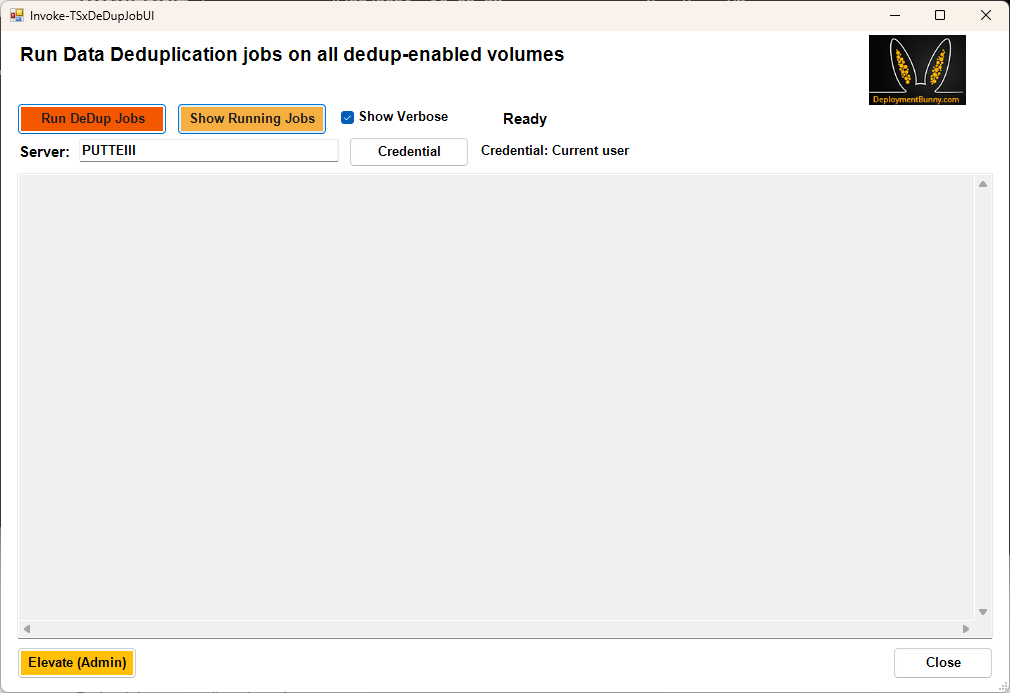
Start‑VIADeDupJob is now Invoke-TSxDeDupJob/Invoke-TSxDeDupJobUI
The rewritten tool lives here:
- Tool:
https://github.com/DeploymentBunny/Files/tree/master/Tools/Start-VIADeDupJob - Documentation (README):
https://github.com/DeploymentBunny/Files/blob/master/Tools/Start-VIADeDupJob/README.md
What’s Actually Better Now
Logging You Can Actually Use
The old script showed progress while it ran, the new version has correct logging, and you can close the UI while it is running, since it will continue to run, it also means that you can schedule it if you like to
Real Progress and Job State Handling
Dedup jobs can run for a long time., This version makes it clear, in the UI yoi can see where we are in the process,and you can close and do something else.
Final Notes
- If you’re using the old script: Stop. Upgrade.
- If you’ve never seen it before: Skip the history lesson and use the new one.
Everything you need:
- Tool + source:
https://github.com/DeploymentBunny/Files/tree/master/Tools/Start-VIADeDupJob - README:
https://github.com/DeploymentBunny/Files/blob/master/Tools/Start-VIADeDupJob/README.md
Until next time
/DeploymentBunny
Share this:

Categories: PowerShell, Windows Server


