


I had the opportunity to present on From Bluescreens to Scripts: Enhancing Troubleshooting with Microsoft Copilot at MMS with Johan Arwidmark, and if you attended, here is a recap of the session we did.
MMS 2026 at MOA: From Bluescreens to Scripts: Enhancing T…
This session came from a place everyone in the room recognized immediately: modern troubleshooting is loud, messy, and time‑pressured. Logs are overwhelming, incidents escalate quickly, and too much time is still spent on mechanical work instead of actual problem‑solving. The goal wasn’t to replace expert judgment. It was to show how Microsoft Copilot can compress the time between signal and insight—and help operators spend their energy where it matters.
The Reality of Modern Troubleshooting
We started by acknowledging something uncomfortable: most troubleshooting workflows haven’t really evolved.
When a system crashes or misbehaves, the pattern is familiar:
- Collect logs and dumps
- Dig through noisy data
- Google cryptic error codes
- Rewrite the same scripts again and again
- Document everything after the fact—if there’s time
This isn’t a skills problem. It’s a time and focus problem. Humans end up doing a lot of mechanical work that doesn’t benefit from human creativity or experience.
This is exactly where Copilot adds value.
Bluescreens: From Guesswork to Hypotheses
One of the most relatable pain points we covered was bluescreen analysis.
Traditionally, analyzing a minidump means opening WinDbg, inspecting stacks and symbols, searching error codes, and hoping something obvious jumps out. It works—but it’s slow and cognitively expensive.
By using Copilot, we showed how minidumps can be analyzed with clear prompts that ask for:
- Likely faulty components or drivers
- Confidence levels in the diagnosis
- Actionable remediation steps
- Requests for missing context when certainty is low
The key takeaway wasn’t that Copilot is always right—but that it produces structured hypotheses faster, giving experts a much better starting point.
Event Logs Without the Noise
Event logs were the next battlefield.
Thousands of events per hour, multiple providers shouting at once, and very little correlation across logs. Most of the time is spent scrolling rather than reasoning.
Here, Copilot shines by summarizing logs within a defined time window, grouping related events, and producing timelines instead of flat lists. That shift—from “what happened?” to “what likely happened and why?”—changes how quickly teams can respond.
The important lesson was to ask for timelines and interpretation, not raw summaries.
From Errors to Scripts
Troubleshooting often ends with someone saying, “We should automate this.”
But automation takes time, context, and precision. Copilot helps by drafting PowerShell scripts directly from natural language prompts—handling the repetitive scaffolding so engineers can focus on correctness, security, and governance.
The session emphasized that Copilot accelerates script creation, but humans still own validation. Review checklists, permissions, logging, and signing still matter.
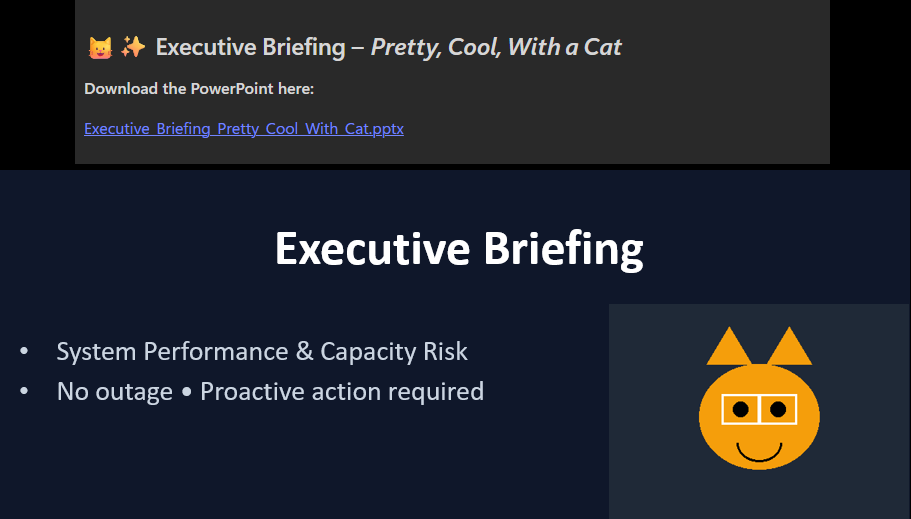
And yes, we did create a nice Executive Breifing as a slide deck, and when someone wanted a Cat in that, yes, we added the cat as well.
Making Troubleshooting Repeatable
One of the more forward‑looking parts of the session was turning troubleshooting into a repeatable process.
By standardizing log collection into a predictable “Copilot log pack” and pairing it with a Copilot agent, teams can analyze incidents consistently—every time, regardless of who is on call.
You can download the LogCollectionPack here: Files/Tools/LogCollectionPack at master · DeploymentBunny/Files
This is where Copilot becomes more than a chat tool. It becomes part of an operational workflow.
Closing the Loop
Troubleshooting doesn’t end when the issue is fixed.
Incident summaries, post‑mortems, runbooks, and handovers are often rushed or skipped entirely. Copilot can generate first‑draft documentation in seconds, helping teams close incidents properly and retain knowledge instead of losing it.
Final Takeaway
If there’s one thing to remember from this session, it’s this:
Copilot reduces toil, not thinking.
Used well, it compresses time‑to‑insight, standardizes workflows, and frees experts to work on harder problems instead of mechanical ones.
That was the core message of From Bluescreens to Scripts—and hopefully what you walked away with from MMS.


