For many years TechNet has been the source of information for IT Pro’s, but in many cases it has been “This is what you could do”, leaving a lot of IT profs […]
Nice to Know–Getting Make and Model using CMD or PowerShell
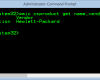
Trust me, this is not a new thing, rather I get the question every time on a session (before or after) or when working on a customer site, how can I extract […]
Step-by-Step: Upgrading BIOS during LiteTouch(ZeroTouch) Deployment, for Dell, Hewlett-Packard and Lenovo (v2)
Long time ago I wrote a post on how to upgrade the BIOS/Firmware during the deployment of a PC in the beginning of a TaskSequence, since then I have been hammered with […]
Nice to Know – Dumping MDT Monitor data to a Webpage (using PowerShell) – Update
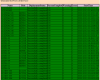
A couple of days ago I published a simple PowerShell script that dumps the MDT monitoring data and convert it into a web page, the interest for that has been huge. The […]
Nice to Know – Dumping MDT Monitor data to a Webpage (using PowerShell)
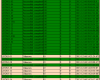
(update – https://deploymentbunny.com/2013/12/13/nice-to-know-dumping-mdt-monitor-data-to-a-webpage-using-powershell-update/) A customer asked me –Could you create like a web page that shows the same info as the MDT monitoring tab, so can see all the deployment all the […]
Nice to know – Put Office365 Click To Run in the Ref Image using MDT 2013
A while ago I did a session regarding Office 365 and during that session I promised to publish the script and keeping promises is a good thing I have been told. Office […]
Microsoft Deployment Toolkit 2013 is here
Download from http://www.microsoft.com/en-us/download/details.aspx?id=40796 Microsoft Deployment Toolkit (MDT) 2013 is a Solution Accelerator for operating system and application deployment. MDT 2013 supports deployment of Windows 8.1, Windows 8, Windows 7, Windows Server 2012 […]
Migrate DHCP from WS 2012 to WS 2012 R2
If you work as a consultant and charge by the hour, this is not something that will make you very rich… Step-By-Step Start an elevated PowerShell prompt Execute the following command to […]


